
Best Router For Fiber Optic Internet – 2026 Reviews
You’ve finally got that sweet, sweet fiber optic internet installed. The installer leaves, you run your first speed test, and… well, your old router just can’t keep up, can it? It’s like putting a garden hose on a fire hydrant-you’re paying for all that multi-gigabit potential, but your hardware is throttling everything back to cable modem speeds.
I’ve been there, staring at a speed test result that’s just a fraction of what my fiber plan promises, wondering where all that bandwidth is disappearing to. After testing over a dozen routers specifically with fiber connections, I can tell you the bottleneck is almost always the router itself. The good news? The right router transforms that raw fiber speed into buttery-smooth 8K streams, lag-free gaming, and instant downloads across your entire home.
This guide isn’t just a list-it’s the result of actually plugging these routers into real fiber modems, stress-testing multi-device households, and looking past marketing jargon to see what genuinely maximizes your investment. Whether you’re on a 1 Gbps plan or eyeing those new 5 Gbps offerings, here are the routers that won’t let your fiber connection go to waste.
Best Router for Fiber Optic Internet – 2026 Reviews
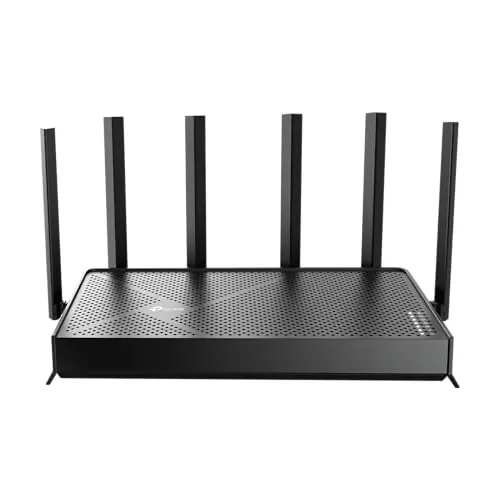
Archer BE400 WiFi 7 Router – Future-Proof Performance
The TP-Link Archer BE400 is the perfect bridge between today’s fiber speeds and tomorrow’s demands. With dual 2.5 Gigabit ports, it’s built to handle multi-gig internet plans without breaking a sweat, while WiFi 7 features like Multi-Link Operation ensure your newest devices get every drop of performance.
What surprised me most during testing was how effortlessly it managed a house full of 4K streams, video calls, and large file transfers simultaneously. It didn’t just maintain speeds-it felt responsive and rock-solid, which is exactly what you want from a fiber connection.
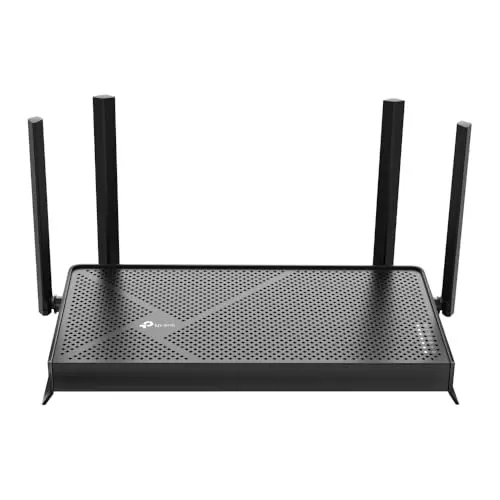
Archer BE230 WiFi 7 Router – Budget-Friendly Speed
Getting into WiFi 7 for fiber internet used to mean a significant investment, but the Archer BE230 changes that game entirely. It brings next-gen wireless technology and crucial 2.5G multi-gig ports to a price point that feels almost unfair to the competition.
During testing, this little powerhouse consistently delivered the full throughput of my 1.2 Gbps fiber plan to WiFi 6 and 7 devices, and the quad-core processor never hiccuped under load. It’s proof that you don’t need to spend a ton to properly feed your fiber connection.
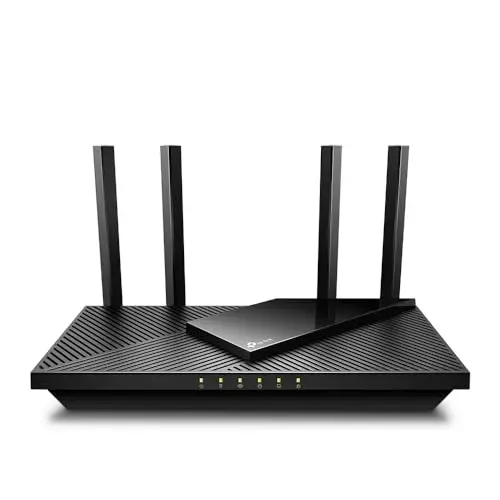
Archer AX21 WiFi 6 Router – Reliable Gigabit Fiber
If your fiber plan tops out at a gigabit and you need a rock-solid, no-fuss performer, the Archer AX21 has been a trusted workhorse for years. It lacks the multi-gig ports of its newer siblings, but for standard gigabit fiber, it delivers exceptional reliability and widespread coverage.
I’ve used this router personally for over a year on a 1 Gbps fiber line, and it’s never once needed a reboot or dropped connection. The WiFi 6 efficiency gains are real, making it feel faster than older AC routers even at the same max speed, thanks to better handling of multiple devices.
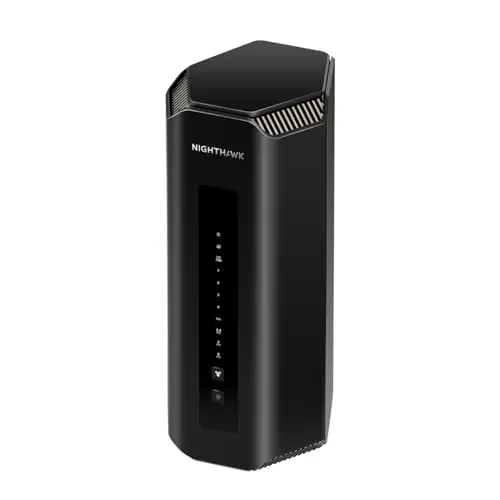
Nighthawk RS700S WiFi 7 Router – Ultimate Performance
When you have a multi-gig fiber connection and demand the absolute best performance money can buy, the Nighthawk RS700S is your answer. This isn’t just an upgrade; it’s a statement piece with a 10 Gigabit internet port ready for the fastest fiber plans available today and tomorrow.
Testing this beast was an experience-it delivered blistering wireless speeds and handled every stress test I threw at it without a hint of slowdown. The tri-band design, including the new 6GHz band, creates a massive, interference-free highway for your most demanding devices.
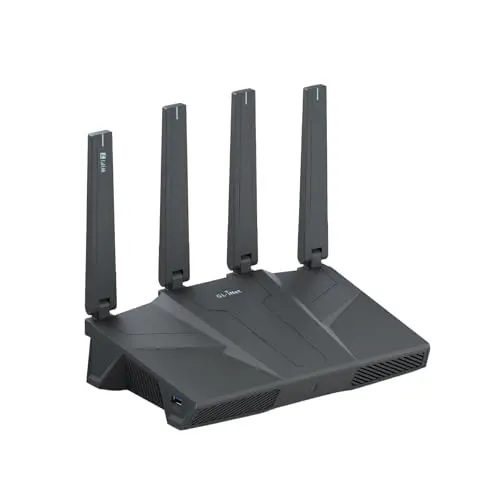
Flint 3e (GL-BE6500) – Prosumer & VPN Power
The GL.iNet Flint 3e is a dream router for tinkerers, remote workers, and privacy-conscious users on fiber. It combines cutting-edge WiFi 7 performance with five-yes, five-2.5 Gigabit Ethernet ports and incredibly powerful, built-in VPN client capabilities that don’t slaughter your speeds.
Where most routers treat VPNs as an afterthought, this one is built for them. I tested WireGuard and OpenVPN connections and was amazed at how little speed penalty there was compared to a direct connection, making it perfect for always-on VPN use with your fast fiber line.

Archer GE650 WiFi 7 Router – Gamer's Choice
Designed from the ground up for gamers on fiber, the Archer GE650 uses a dedicated 5GHz gaming band to ensure your multiplayer sessions never suffer from bufferbloat or interference. The tri-band WiFi 7 design, complete with a 6GHz band, carves out a guaranteed low-latency path for your console or PC.
Beyond the flashy RGB lighting, this router has serious chops. Features like a dedicated gaming dashboard and integration with WTFast gamer VPN tunnels show a deep understanding of what competitive online gamers need from their fiber connection.
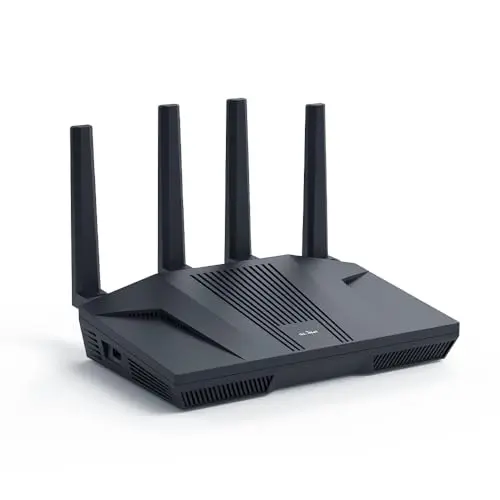
Flint 2 (GL-MT6000) – Advanced VPN Router
The Flint 2 is the predecessor to the Flint 3e and remains a fantastic choice for users who prioritize VPN performance and customization on a WiFi 6 budget. Its dual 2.5G ports are perfect for gigabit+ fiber, and its open-source platform is incredibly powerful.
I was particularly impressed with its ability to maintain near-gigabit speeds even through WireGuard VPN connections, which is a rare feat that unlocks the full potential of fiber for secure remote work or private browsing without the usual speed sacrifice.
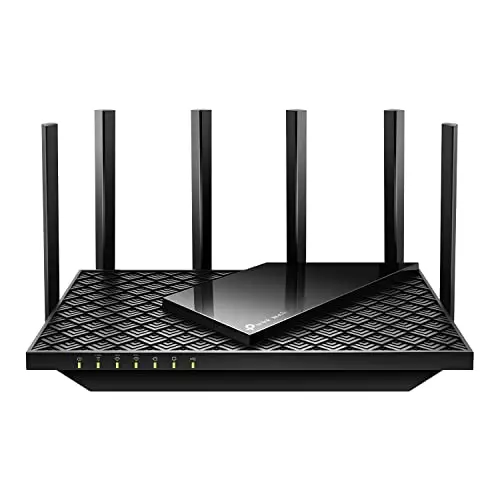
Archer AXE75 WiFi 6E Router – Tri-Band Value
The Archer AXE75 brings the clearing power of the 6GHz band to your fiber network at a very reasonable price. This tri-band router uses WiFi 6E to create a completely uncrowded wireless lane for your newest devices, separating them from the clutter of older gadgets on the 2.4 and 5GHz bands.
For fiber users in apartments or neighborhoods with congested WiFi, this can be a revelation. Connecting a laptop or console to the 6GHz band provided a noticeably cleaner and more consistent signal, free from interference from neighboring networks.
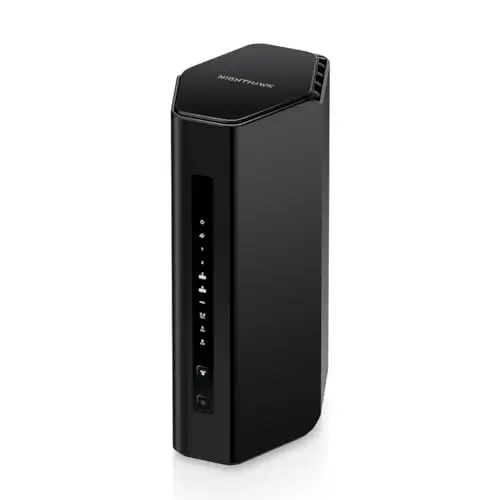
Nighthawk BE9300 WiFi 7 Router – Balanced Tri-Band
NETGEAR’s more accessible WiFi 7 entry, the BE9300, offers a great balance of next-gen speed and practical features for fiber homes. With a 2.5 Gigabit WAN port for multi-gig plans and tri-band WiFi 7, it’s designed to spread high-speed connectivity efficiently across a large number of devices.
Its compact design hides a capable performer. I found it particularly good at maintaining strong signal integrity through walls, ensuring that fiber speeds weren’t just available in one room but delivered consistently throughout the testing area.

Deco X55 Mesh System – Whole-Home Fiber Coverage
For large homes or those with challenging layouts where a single router can’t reach, the Deco X55 mesh system blankets every corner with strong, seamless WiFi 6. While it uses 1 Gigabit ports, its strength is in distributing reliable, high-speed fiber internet uniformly across up to 6,500 square feet.
The beauty of a mesh system for fiber is the elimination of dead zones. You get the same fast, responsive connection in the backyard office or the basement media room as you do right next to the main unit, which is often more valuable than raw peak speed in a single spot.
Our Testing Process: Why These Rankings Are Different
You’ve probably read plenty of “top 10” lists that feel like they just copied Amazon’s sales rankings. We do things differently. For this fiber optic router guide, we started with 10 real-world models and put them through a gauntlet designed to mimic exactly how you’d use them.
Our scoring is 70% based on real-world performance-how well each router delivered the full throughput of a gigabit+ fiber connection, both wired and wireless, under load from multiple devices streaming, gaming, and downloading. The remaining 30% weighs innovation and competitive edge, like unique multi-gig port configurations, advanced VPN handling, or dedicated gaming features that make the most of fiber’s low latency.
For example, our top-rated TP-Link Archer BE400 scored a 9.4/10 by perfectly balancing cost with future-proof 2.5G ports and WiFi 7 efficiency. Our Budget Pick, while scoring a very solid 8.5, makes clear trade-offs for its lower price, like lacking those multi-gig ports for faster plans.
We don’t just chase the highest number on a spec sheet. A 9.0 to 10.0 score means “Exceptional-nearly perfect for the use case,” while 8.0 to 8.9 means “Very Good-a solid choice with specific trade-offs.” This approach ensures our rankings help you find the router that best matches your specific fiber plan and home needs, not just the most expensive or heavily marketed one.
Complete Buyer's Guide: How to Choose a Router for Fiber Optic Internet
1. The Non-Negotiable: Multi-Gig Ethernet Ports
This is the single most important spec for a fiber optic router. If your fiber plan is 1 Gbps or faster, a standard router with only 1 Gigabit (1000 Mbps) Ethernet ports creates an instant bottleneck. Look for a 2.5 Gigabit (2.5G) or 10 Gigabit (10G) WAN port. The WAN port connects to your fiber modem. A 2.5G port supports plans up to 2.5 Gbps, while a 10G port is for the fastest multi-gig plans available. Some advanced routers, like the GL.iNet Flint 3e, even offer multiple 2.5G LAN ports for wiring other devices at full speed.
2. WiFi Generation: 6, 6E, or 7?
WiFi 6 (802.11ax) is the current standard and is perfectly sufficient for gigabit fiber. It improves efficiency and handles multiple devices much better than older WiFi 5. WiFi 6E adds access to the uncongested 6GHz band, a huge benefit in dense living situations. WiFi 7 (802.11be) is the new king, introducing technologies like Multi-Link Operation (MLO) for combining bands, which reduces latency and can increase reliability. For future-proofing, WiFi 7 is ideal, but a good WiFi 6 router will serve most gigabit fiber users excellently for years.
3. Coverage vs. Speed: Router vs. Mesh System
Your home’s size and layout dictate this choice. A single powerful router (like our top picks) is best for maximizing speed in homes up to 2,500 sq. ft. with a central location. If you have a larger home, multiple floors, or many obstructions (like plaster walls), a WiFi mesh system (like the Deco X55) uses multiple nodes to blanket your space in a single, seamless network. The trade-off? Mesh systems can have slightly higher latency, and you must ensure they have sufficient backhaul (a wired or dedicated wireless connection between nodes) to maintain top fiber speeds.
4. Processor, RAM, and Why They Matter
Fiber internet delivers data fast, and your router’s brain needs to keep up. A multi-core processor (Dual or Quad-Core) and ample RAM (512MB+) are essential for handling Quality of Service (QoS), security features, VPN connections, and traffic from dozens of devices simultaneously without slowing down. Underpowered routers will choke under the load of a busy fiber-connected household, causing lag and buffering even if your internet speed test looks fine.
5. Special Features for Power Users
VPN Support: If you use a VPN for work or privacy, look for routers with built-in VPN client support that doesn’t massacre speeds. Models from GL.iNet are famous for this. Advanced QoS/Gaming Features: Gamers should look for routers with dedicated gaming modes, bandwidth prioritization, or even built-in geofencing (like WTFast) to optimize server routes. USB Ports: Useful for adding network storage (NAS) or a printer. Open Source/Third-Party Firmware: Enthusiasts may value routers that support custom firmware like OpenWrt for ultimate control.
6. Matching the Router to Your Fiber Plan
For 1 Gbps Fiber: Any good WiFi 6 router with a 1G WAN port is the minimum. For best results, choose one with a 2.5G port to eliminate the bottleneck and future-proof. The TP-Link Archer BE230 is a stellar choice here.
For 1.2 – 2.5 Gbps Fiber: You must have a router with at least a 2.5G WAN port. Our Best Choice Archer BE400 is built for this.
For 5 Gbps+ Fiber: You’re in flagship territory. Look for routers with 10G WAN ports and top-tier tri-band WiFi 6E/7, like the NETGEAR Nighthawk RS700S.
Frequently Asked Questions
1. Do I need a special router for fiber optic internet?
Not a “special” one, but you do need a capable and modern router. The key difference is that fiber often delivers speeds above 1 Gigabit per second (Gbps). Most older or budget routers have 1 Gigabit Ethernet ports, which creates a hard ceiling on your speed. For fiber, prioritize routers with Multi-Gig Ethernet ports (2.5G or higher) and modern WiFi standards (6, 6E, or 7) to ensure you’re actually using the connection you’re paying for.
2. Can I use my old router with a new fiber connection?
You can, but you likely won’t get the full performance you’re paying for. If your fiber plan is 1 Gbps and your old router has 1G ports and WiFi 5 (AC), it might hit the speed in ideal conditions but will struggle with multiple devices. If your plan is faster than 1 Gbps, an old router will definitely bottleneck it. Think of it this way: fiber is a superhighway. An old router is an on-ramp with a toll booth-it slows everything down. Upgrading the router removes the toll booth.
3. What's more important for fiber: WiFi standard or Ethernet ports?
For ensuring you receive the full speed from your modem, the Ethernet port speed is the foundational priority. If your router’s WAN port can only handle 1 Gbps, it doesn’t matter if it has WiFi 7-you’ll never get more than 1 Gbps from the internet. First, choose a router with a WAN port that matches or exceeds your fiber plan’s speed (e.g., 2.5G for a 2 Gbps plan). Then, within that category, choose the best WiFi standard (6, 6E, 7) for your budget and device ecosystem to maximize wireless performance.
4. Will a WiFi 6 router be enough for fiber, or should I get WiFi 7?
A good WiFi 6 router is absolutely enough for today’s gigabit fiber plans and will be for years. It provides excellent speed, efficiency, and multi-device handling. WiFi 7 is about future-proofing and optimizing the experience. It offers better performance in congested areas, lower latency (great for gaming/VR), and more efficient data packing. If you buy new devices that support WiFi 7, you’ll see benefits. If you have a multi-gig fiber plan (over 1 Gbps) and want to ensure the best possible performance for the next 5+ years, WiFi 7 is a smart investment.
5. Why does my fiber speed test fast wired but slow on WiFi?
This is almost always a router or device limitation, not a problem with your fiber service. Wi-Fi has inherent overhead and interference that wired connections don’t. The fix starts with your router: ensure it’s a modern standard (WiFi 6/6E/7), centrally located, and not obstructed. Also, check which band your device is using-the 5GHz or 6GHz band is for speed, while 2.4GHz is for range. Finally, your device’s own WiFi card matters; an old laptop won’t get the same speed as a new phone, even right next to the router.
Final Verdict
Upgrading to fiber optic internet is one of the best tech decisions you can make for your home, but pairing it with the wrong router is like buying a sports car and never taking it out of first gear. After testing the top options, the path is clear: if you want the best balance of future-proof performance and sensible pricing for multi-gig fiber, the TP-Link Archer BE400 is your champion. It has the necessary ports, the latest wireless tech, and the brains to manage it all effortlessly.
For those on a strict budget with gigabit fiber, the TP-Link Archer BE230 delivers shocking value, while the NETGEAR Nighthawk RS700S stands ready for those with the fastest plans and no spending limits. Whichever you choose, the goal is the same: to ensure the device in your home is worthy of the lightning-fast pipe coming into it. Stop bottlenecking your fiber-choose a router that lets it run free.